Students
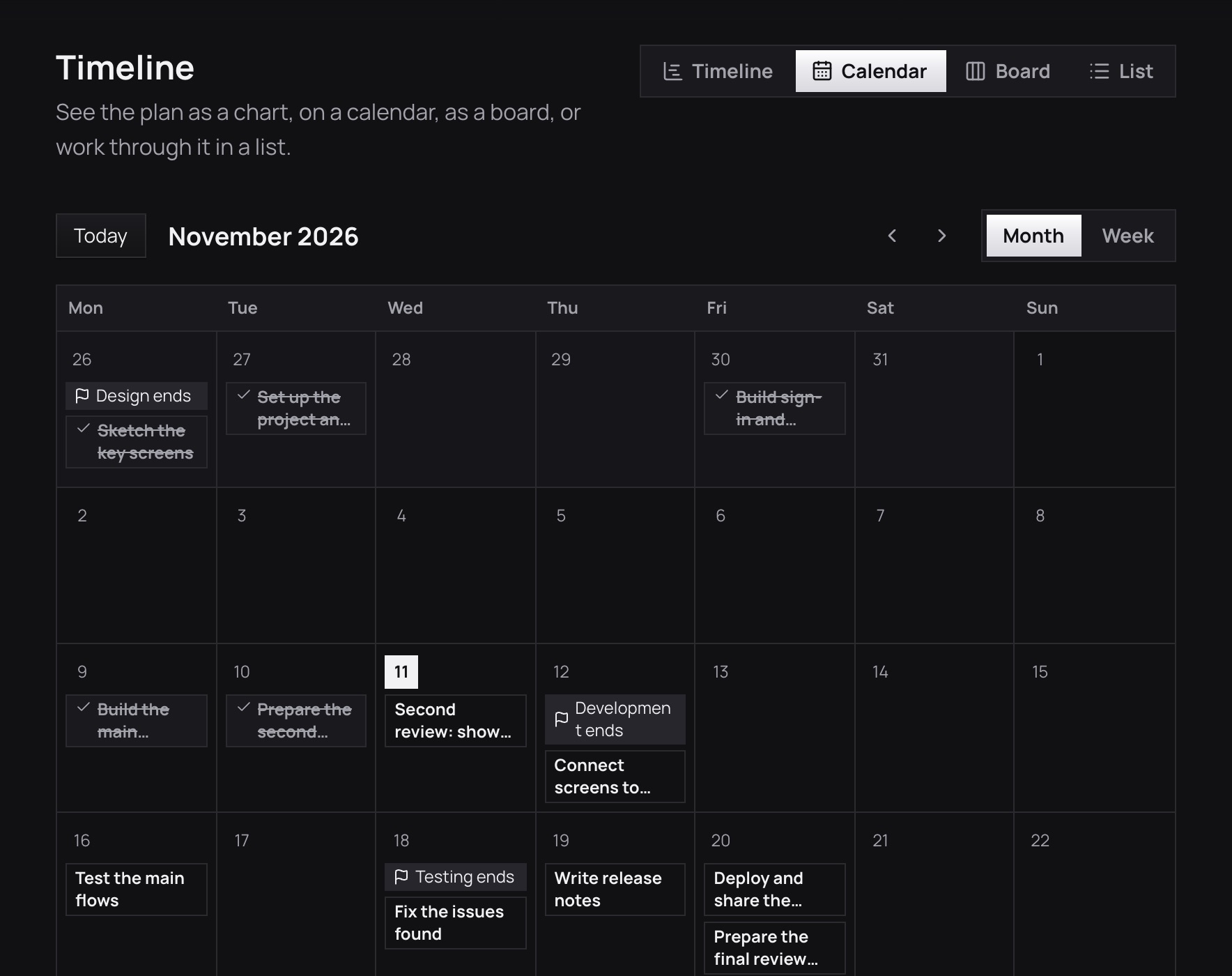
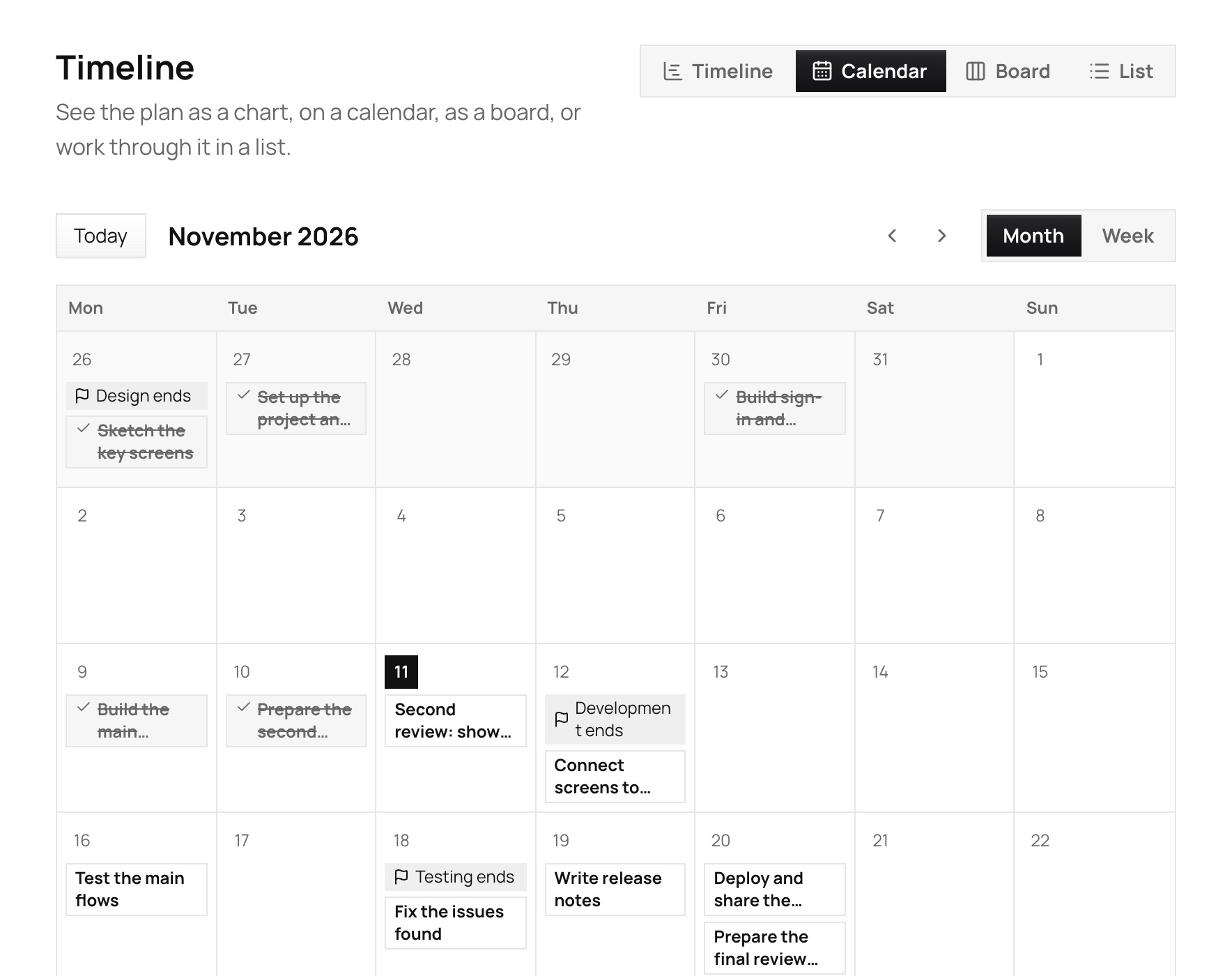
See the whole project on one calendar
Tasks sit on the day they are due, phase ends are marked and finished work is crossed out, so you can see if the deadline is safe.
 Vyam
Built for the rest of us, not the enterprise. Say what you want to make and get a plan to follow.
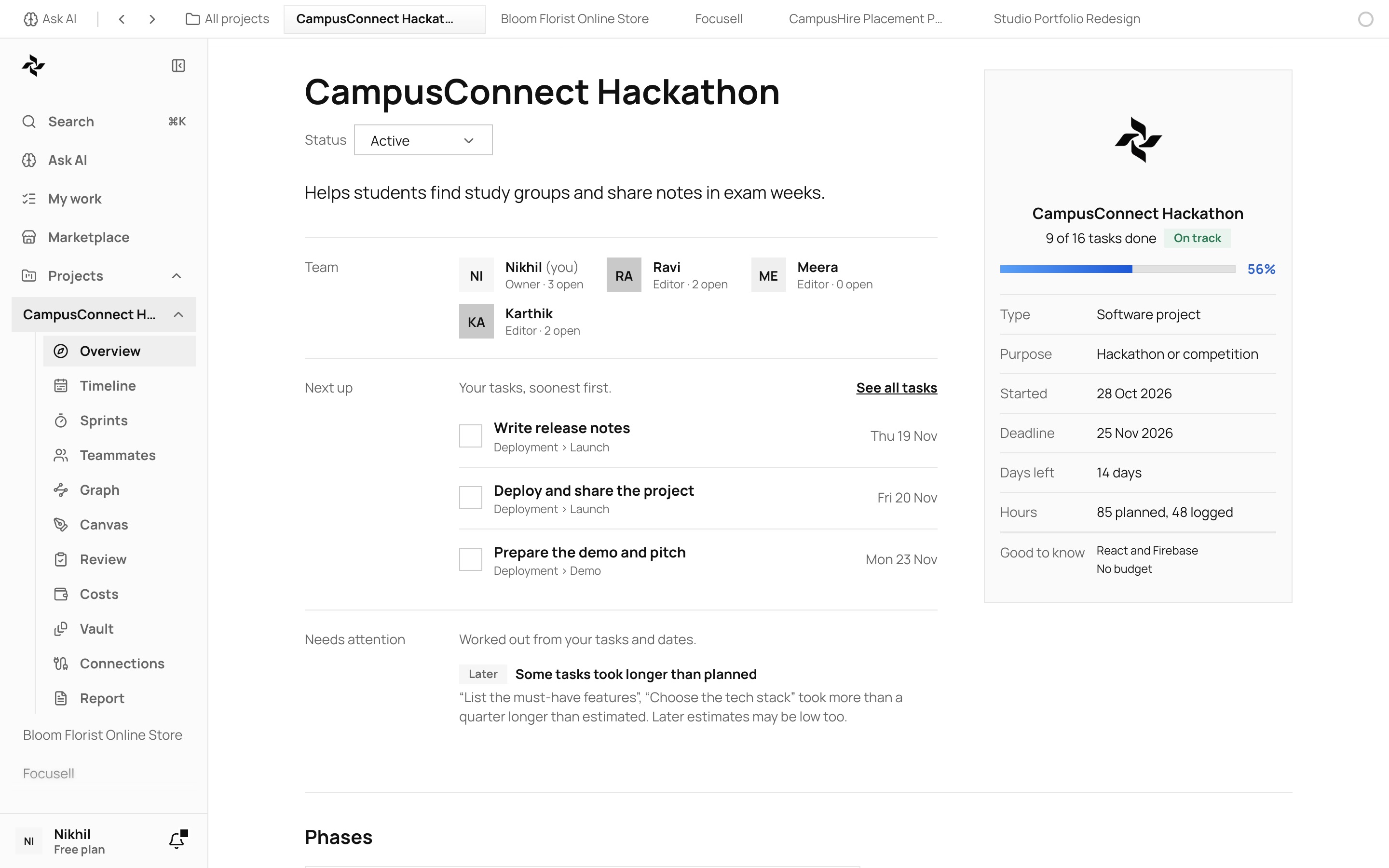
“Finishing even one project takes a lot of time and effort. Vyam plans 100’s of them every day.”
Who it is for
Made for students, freelancers, hackathon teams, college projects and small startups.
Students
Tasks sit on the day they are due, phase ends are marked and finished work is crossed out, so you can see if the deadline is safe.
Freelancers
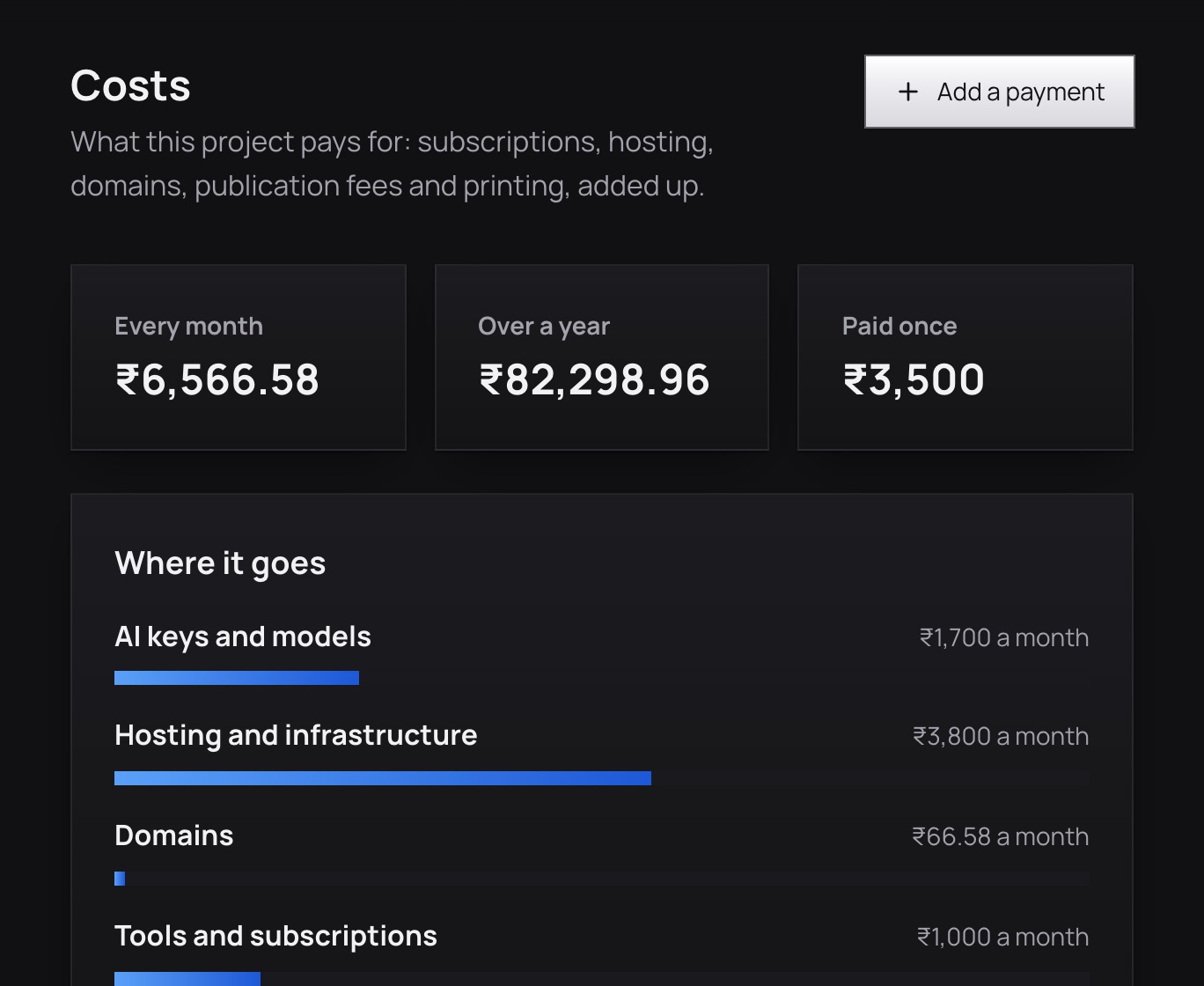
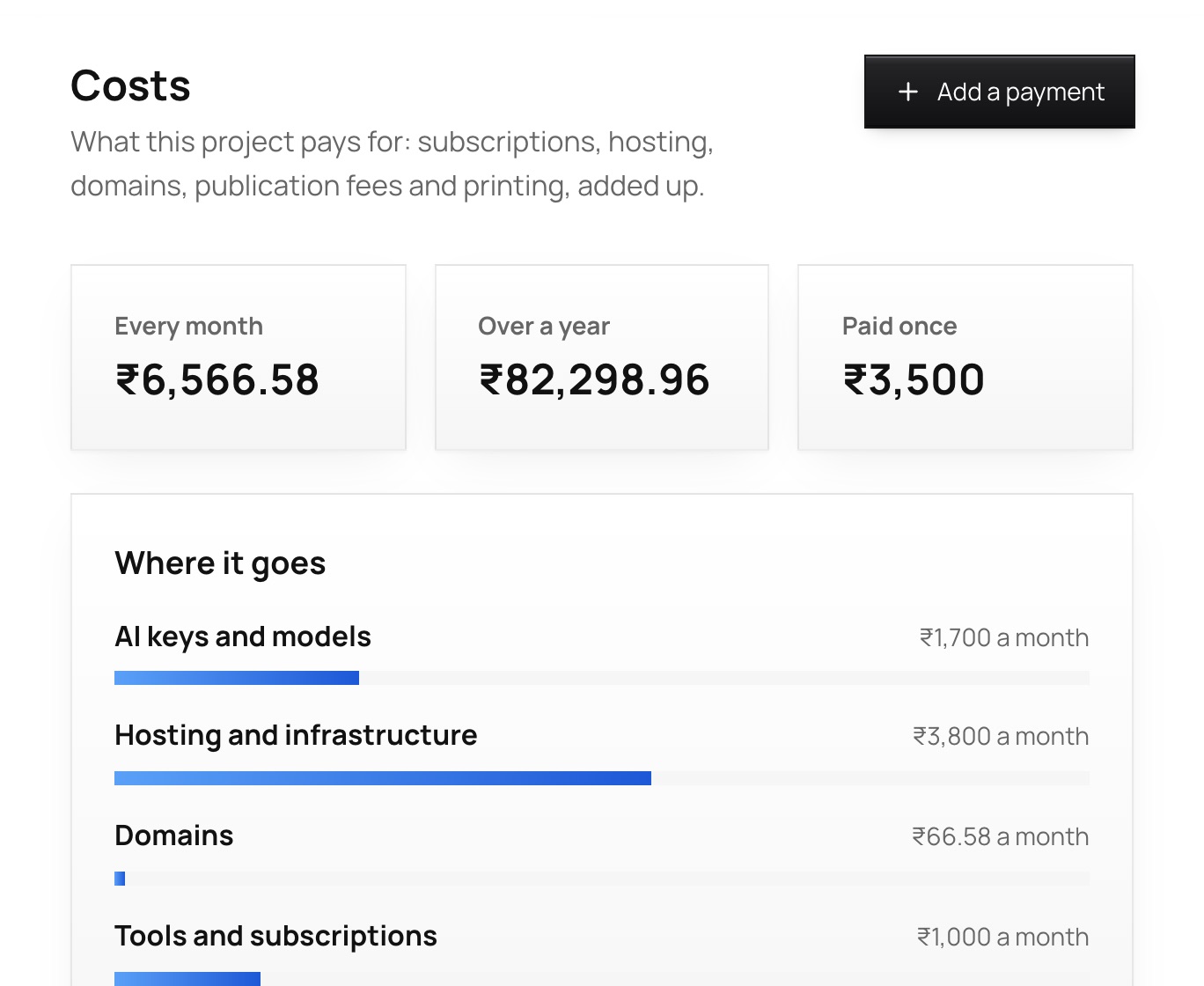
Add the tools, hosting and domains you pay for and see the total each month and year, in rupees.
Hackathon teams
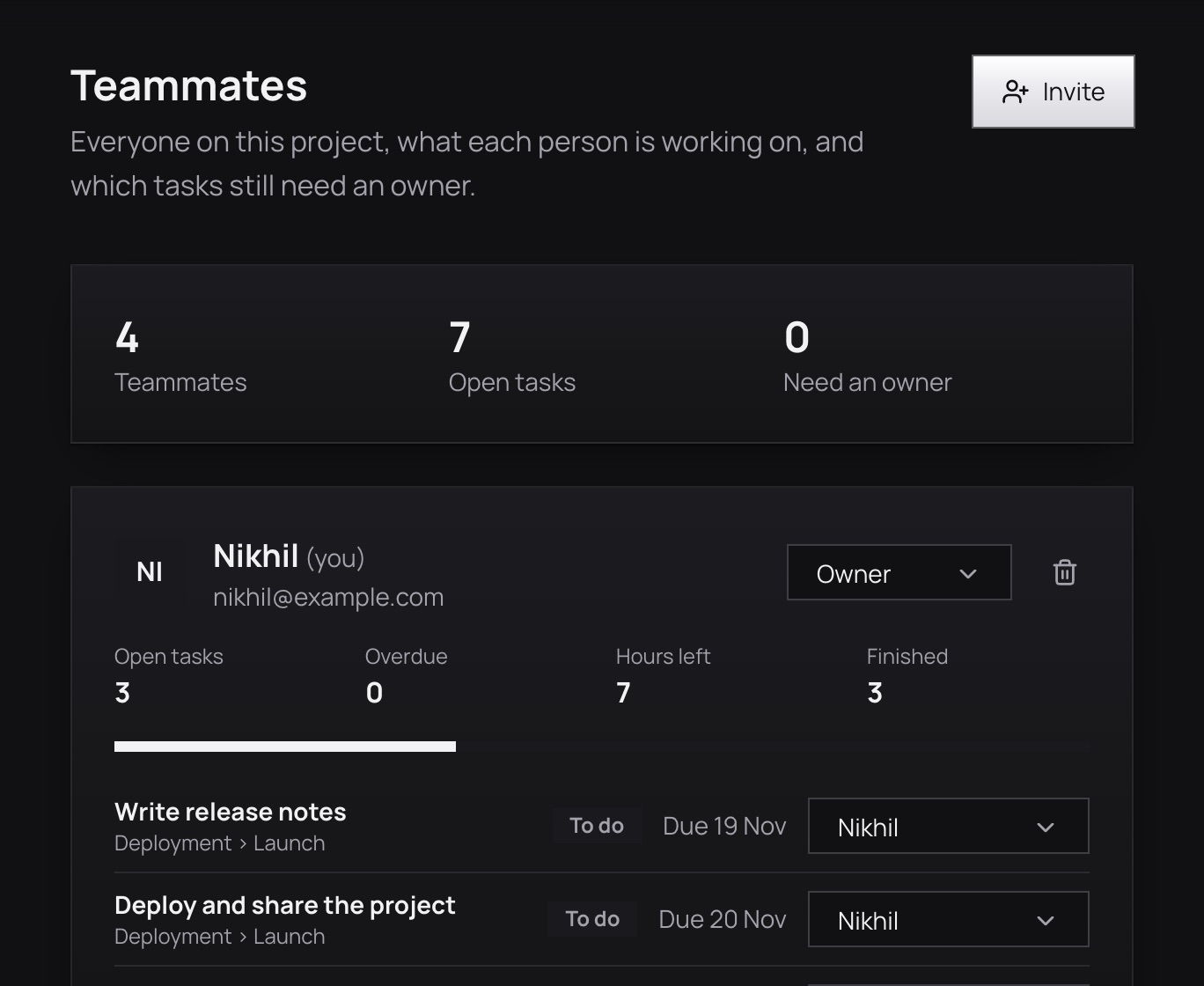
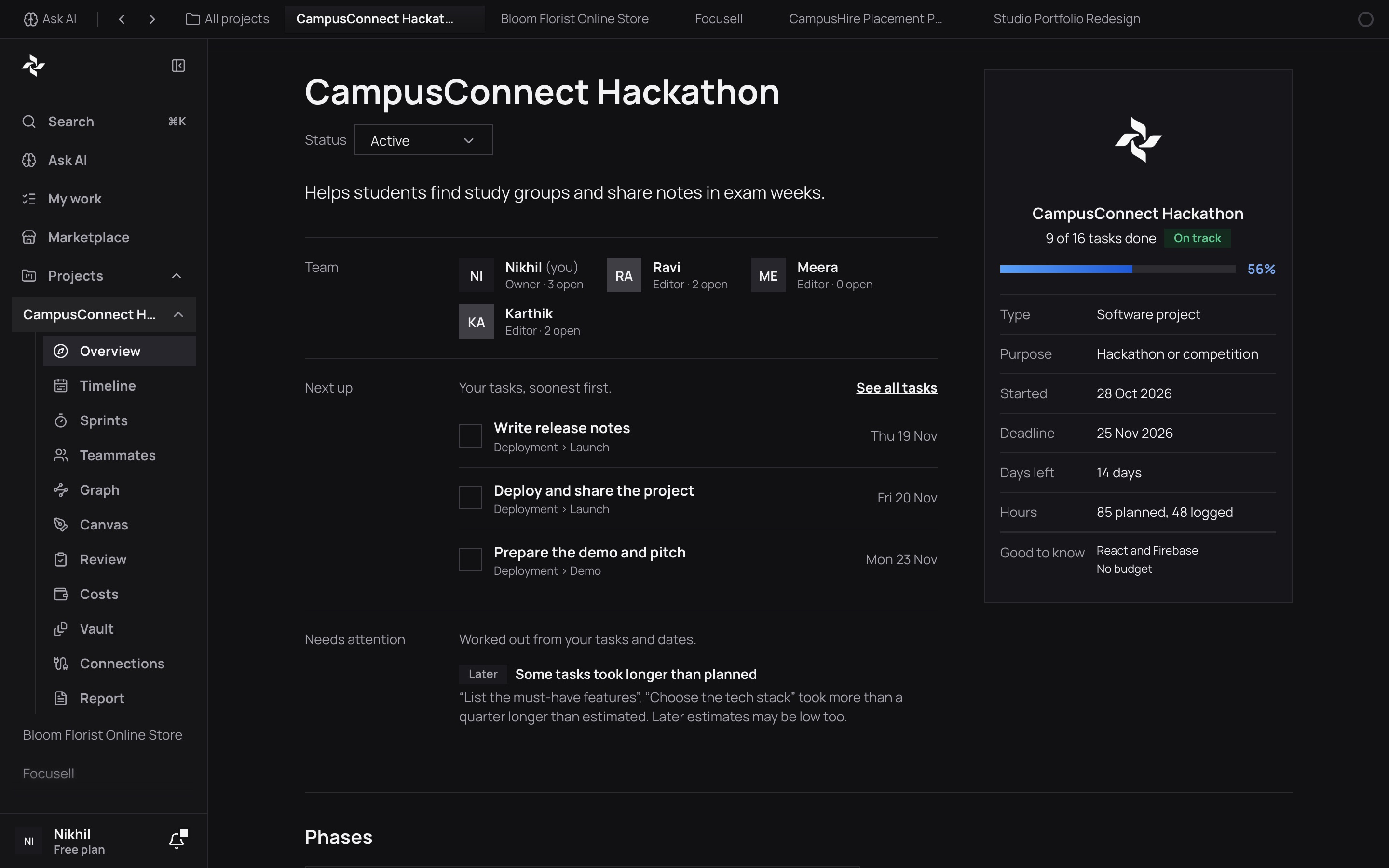
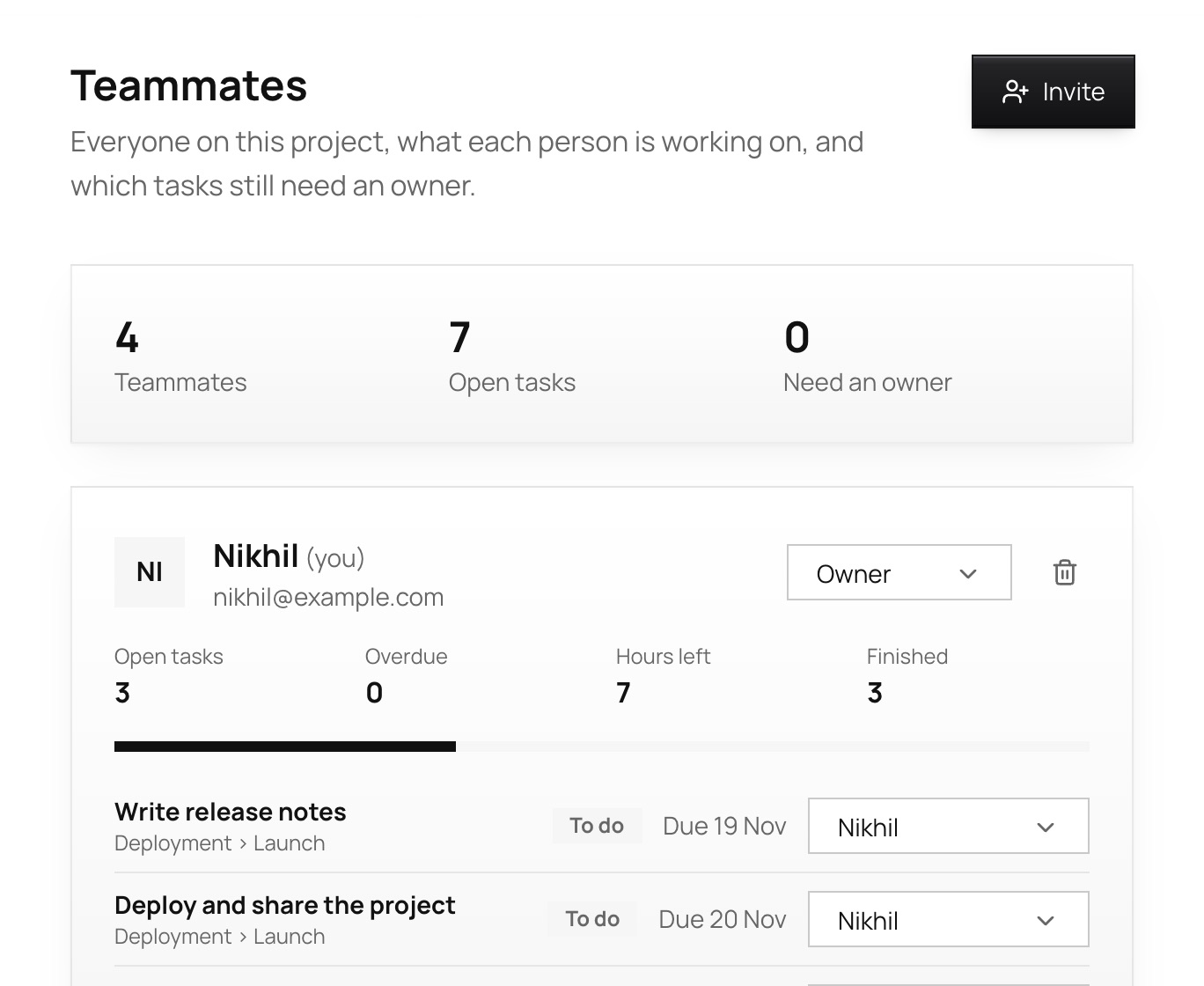
See each person’s open and overdue tasks and hours left, and give any task without an owner to someone.
How it works
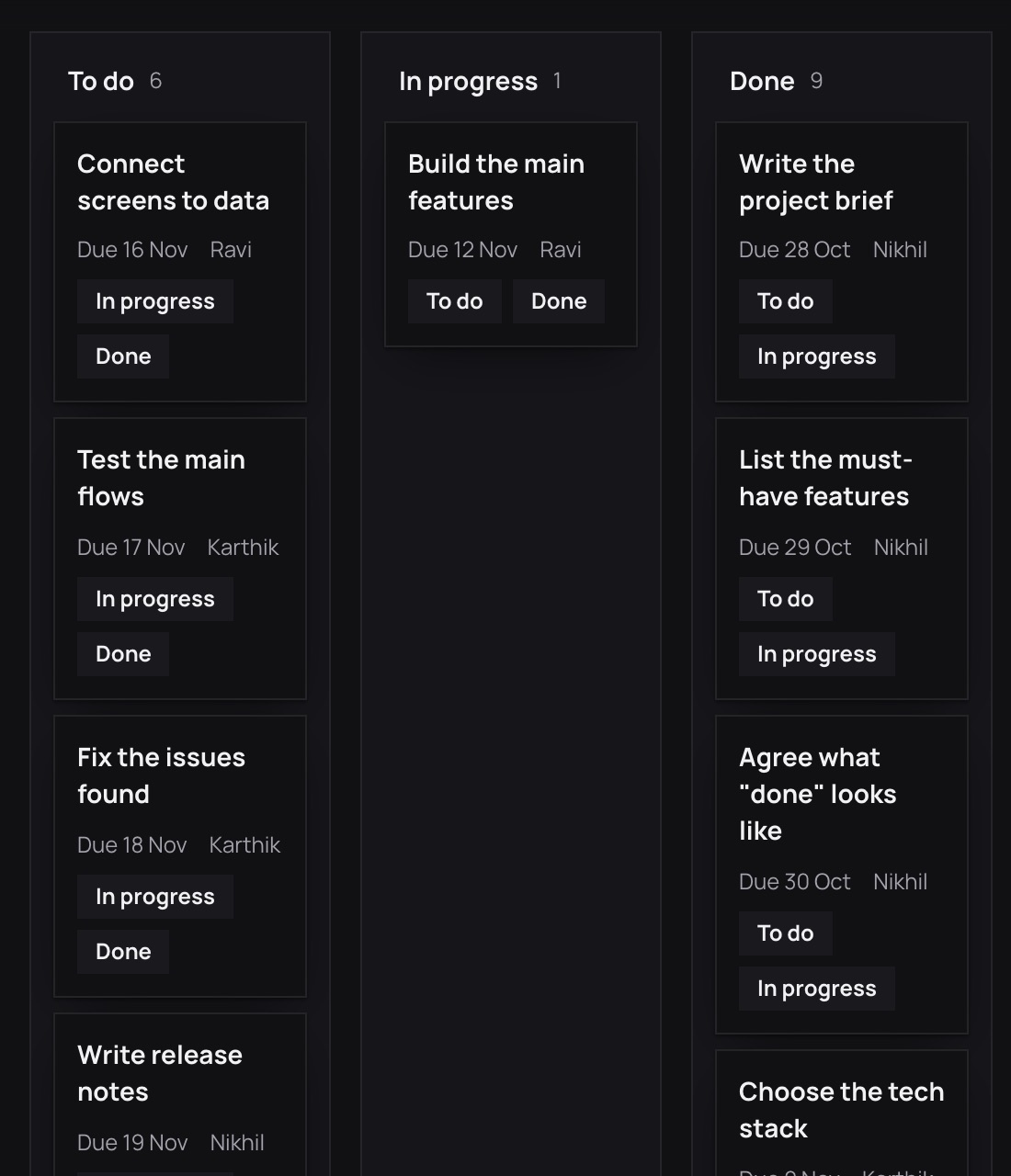
Follow it through. Move cards across the board, see the timeline, add your team, and watch the progress rise.
Step 1
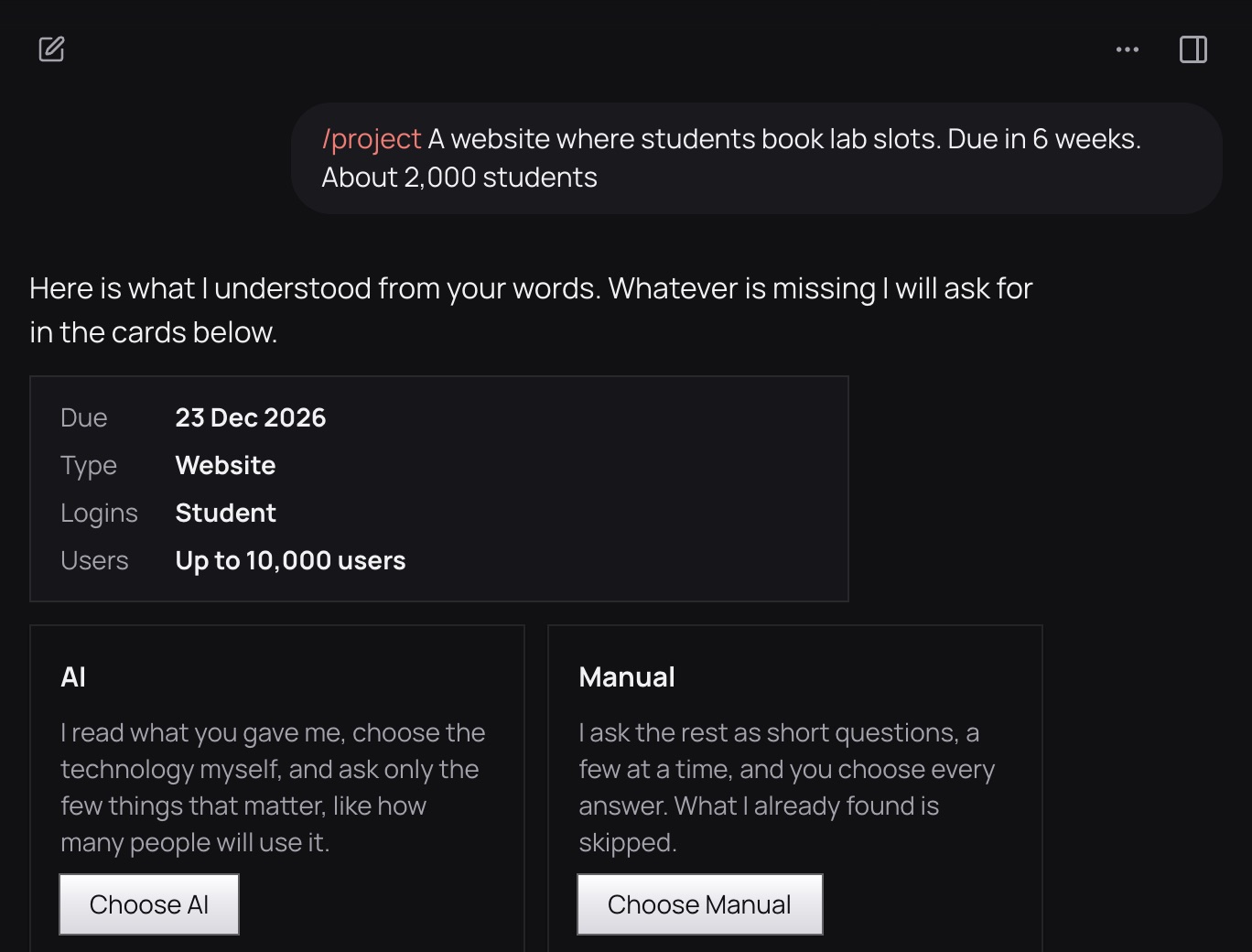
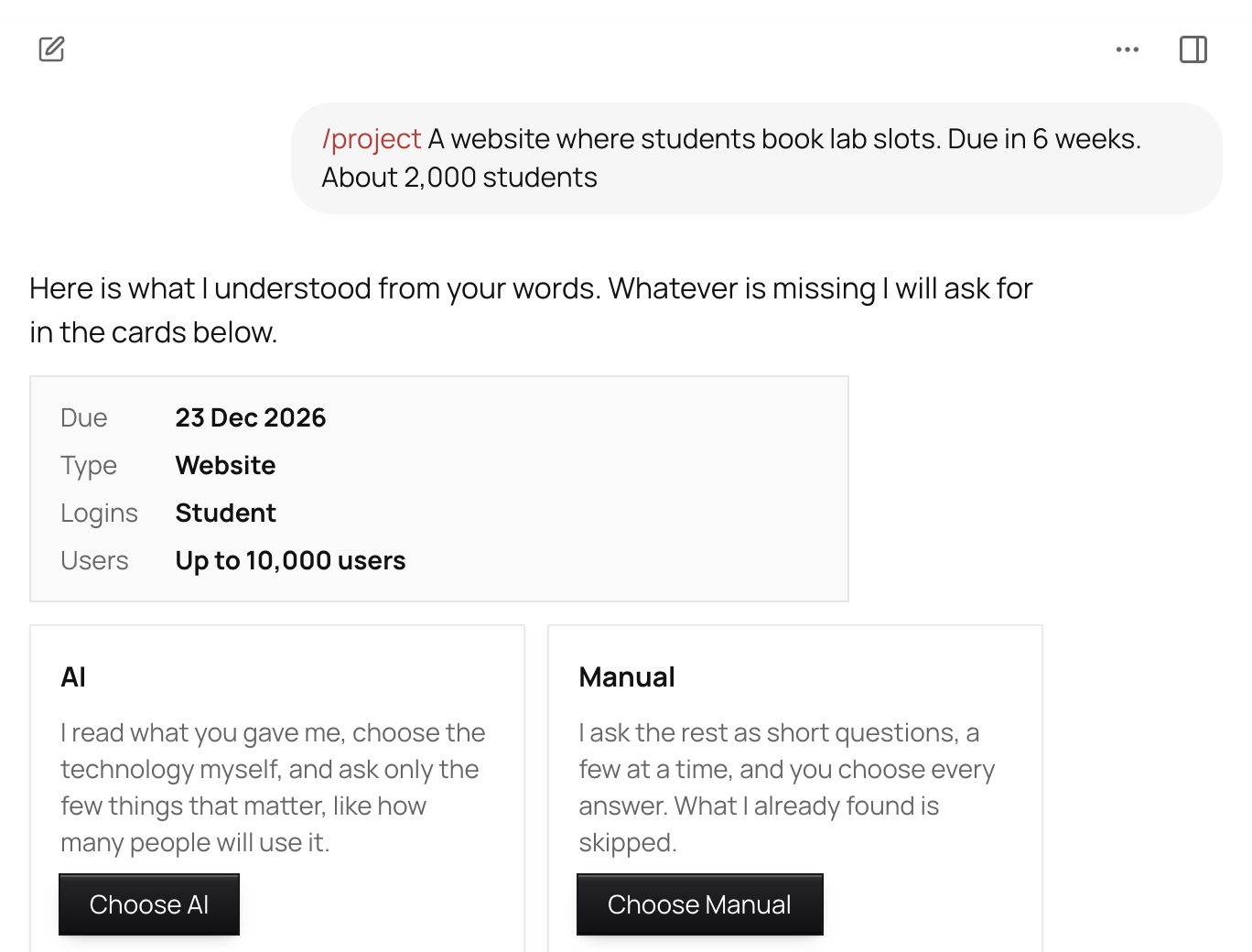
One sentence is enough, or add your notes and documents. Vyam shows what it understood and asks only for what is missing.
Step 2
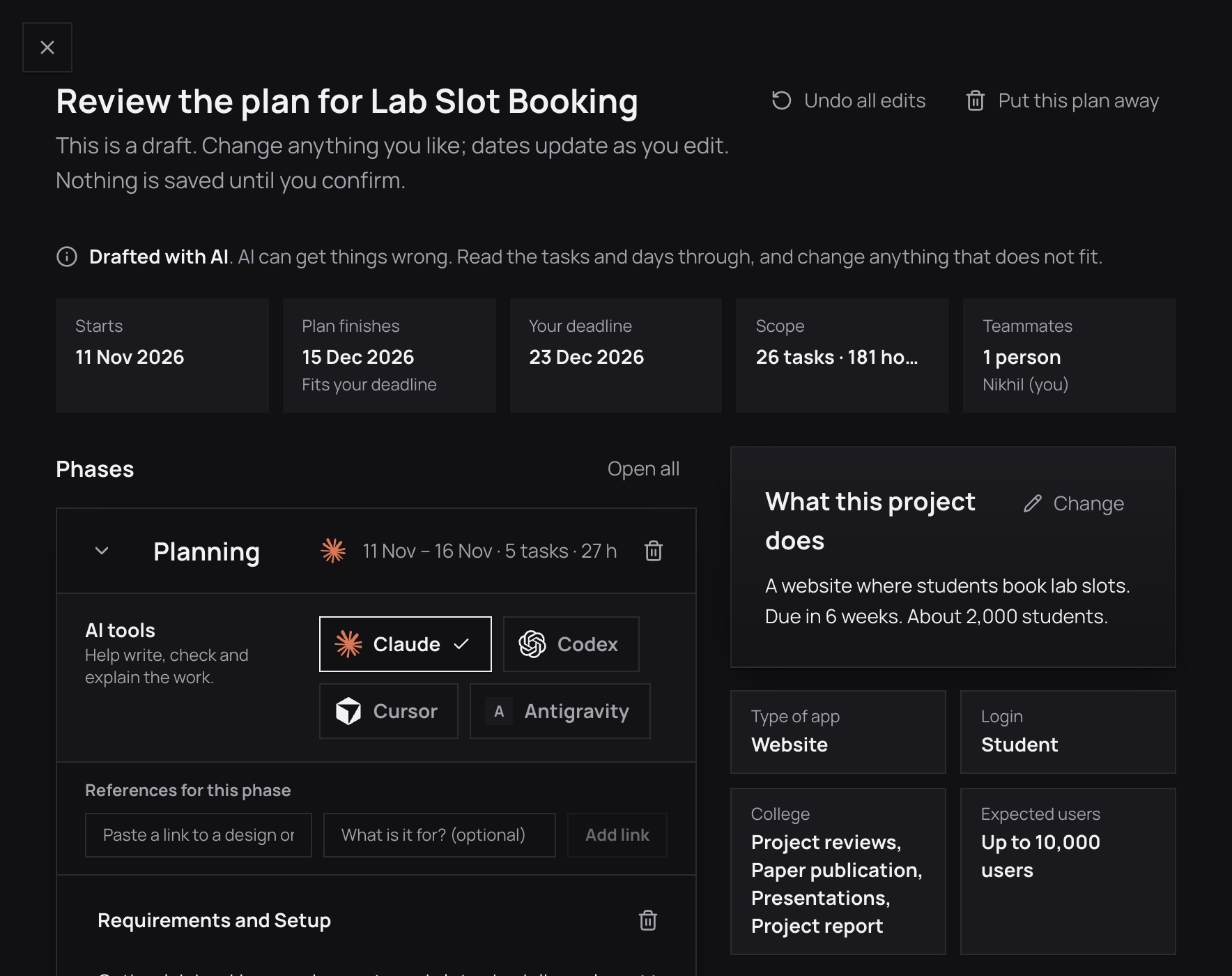
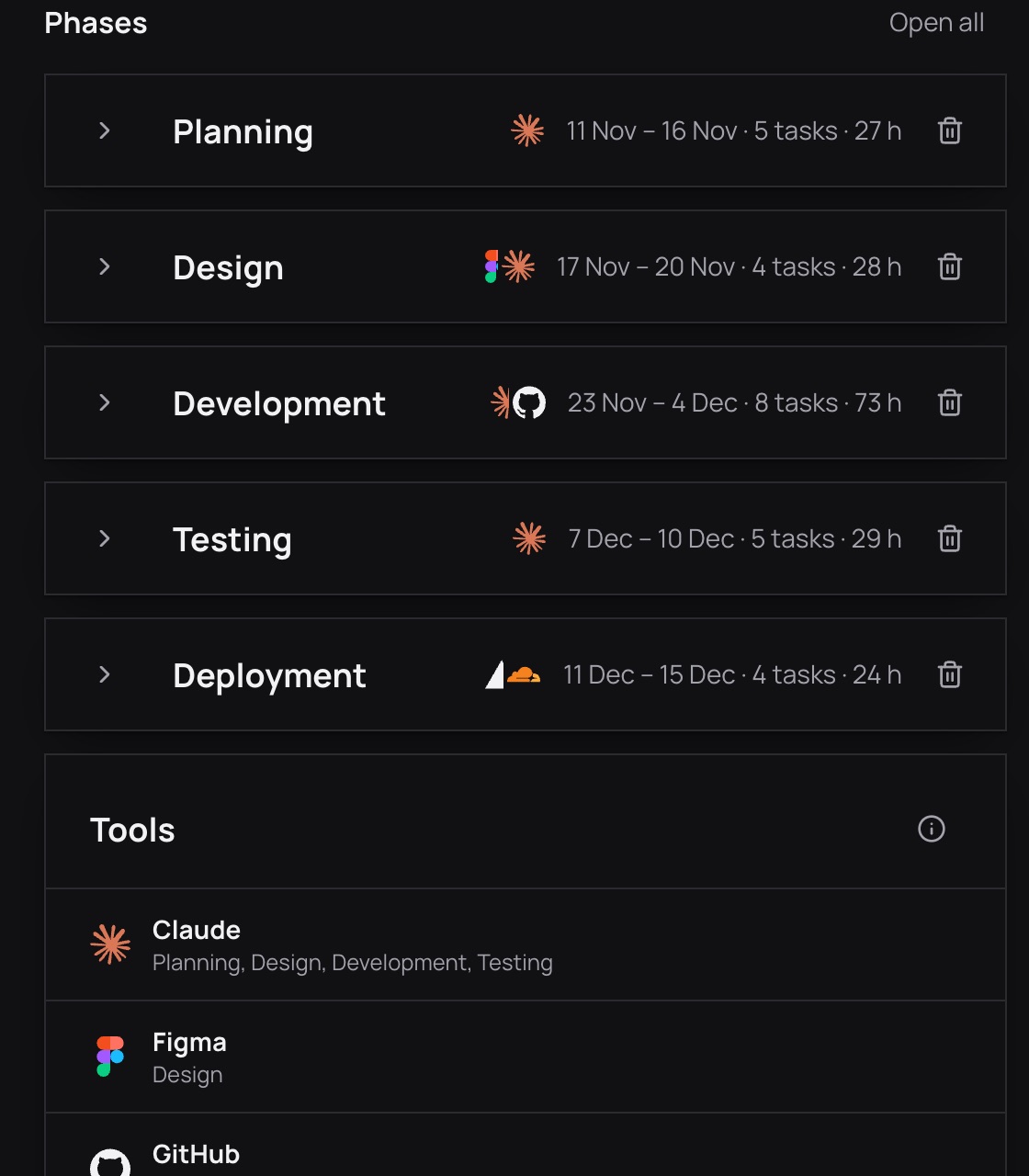
Phases, tasks, a stack, costs in rupees and a schedule appear. Change a name, a day or an hour, and the dates follow.
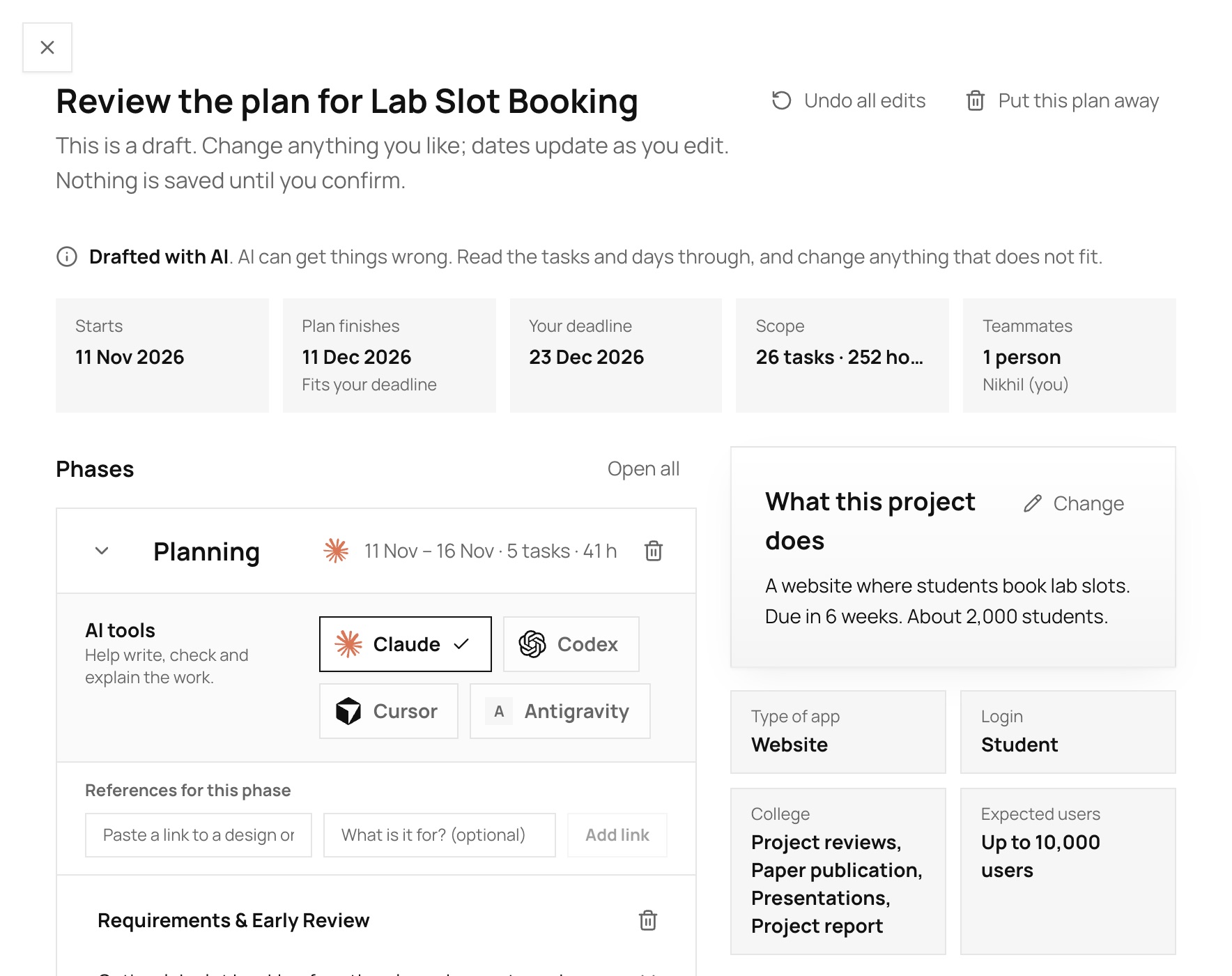
The workspace
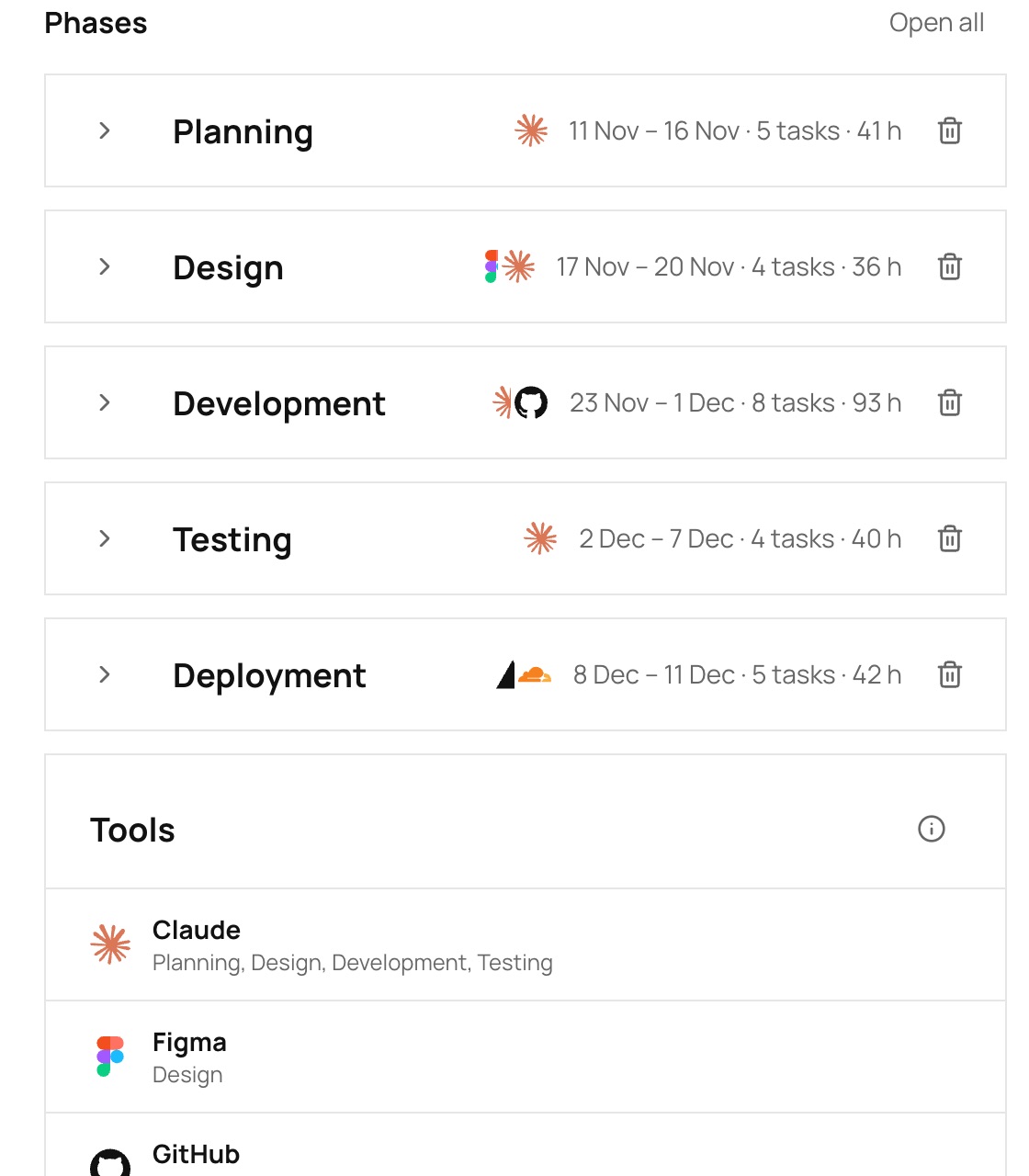
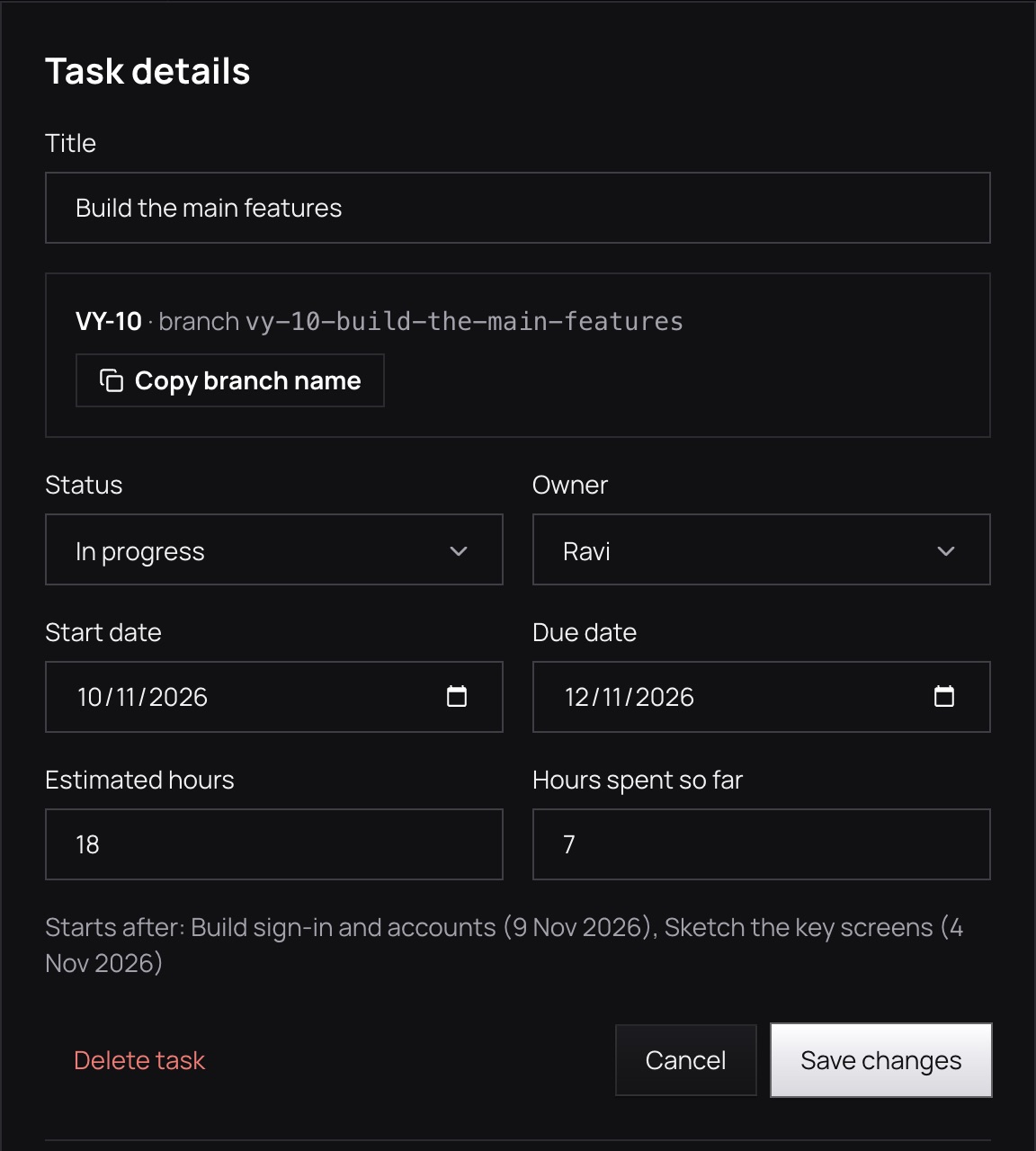
Every phase folds to one line with its dates, tasks, hours and tools. Open one to change a task. The dates are worked out for you.
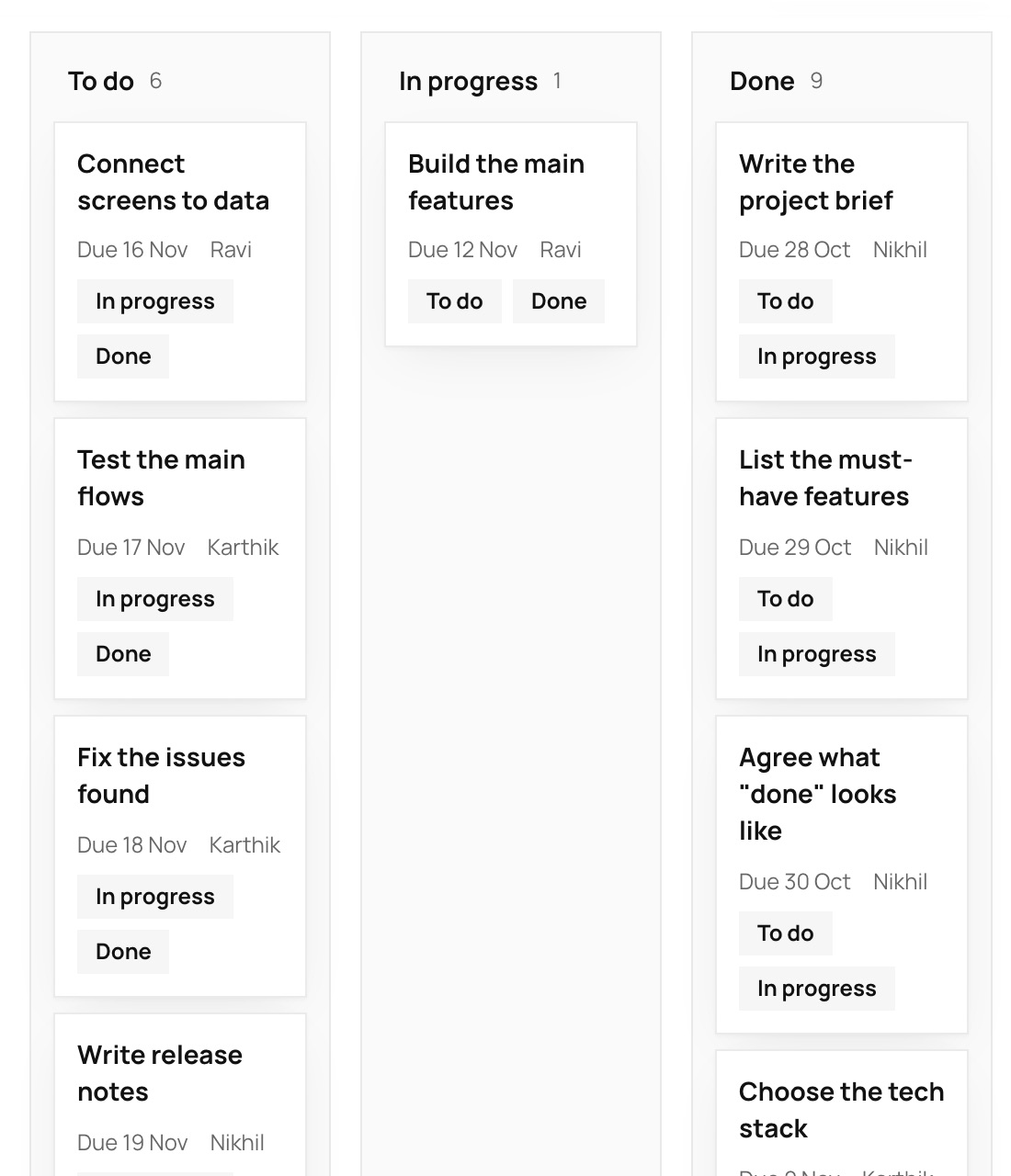
A calendar, a board, a list and a chart. Drag a bar to move work, and see at once what would slip.
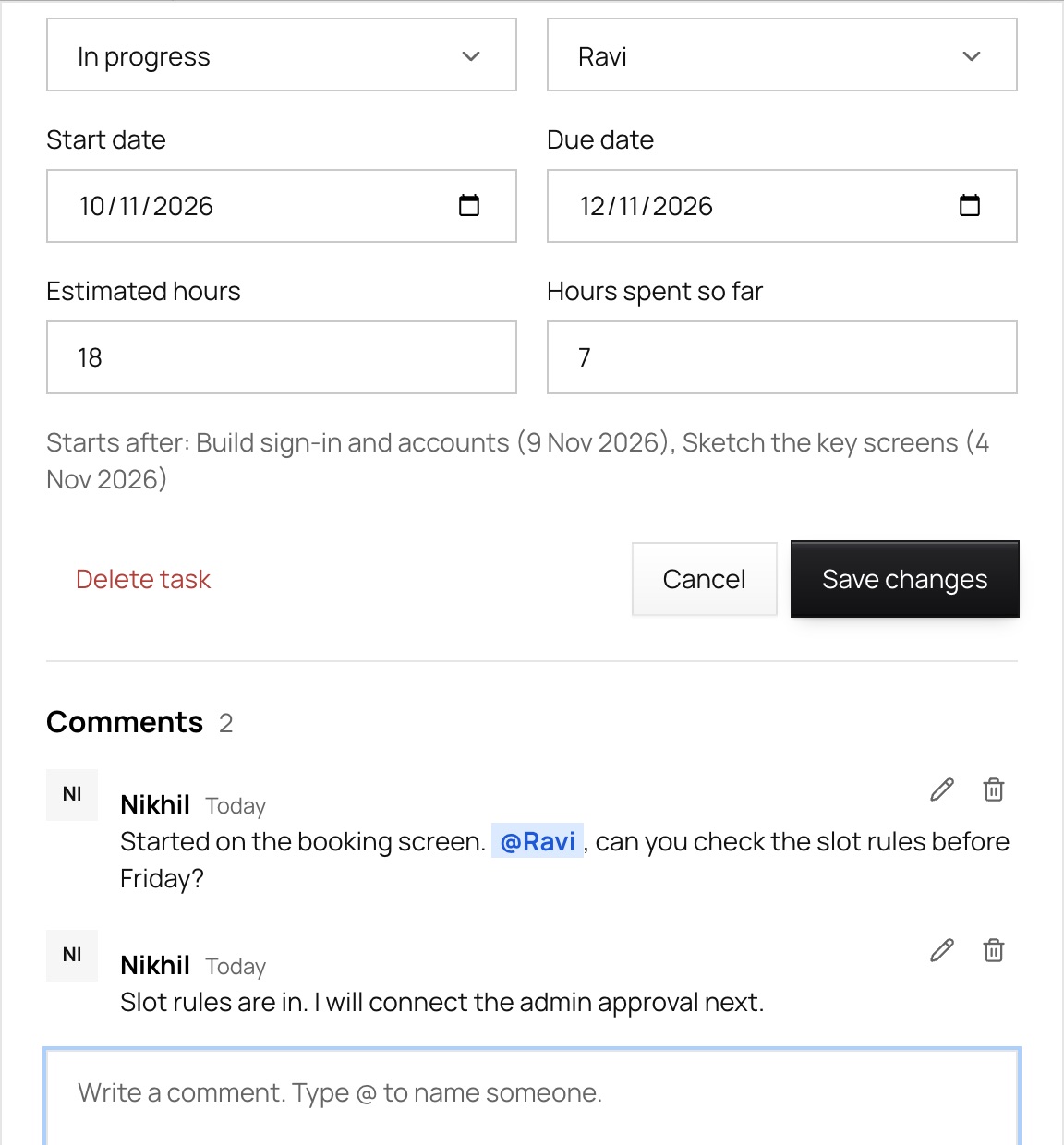
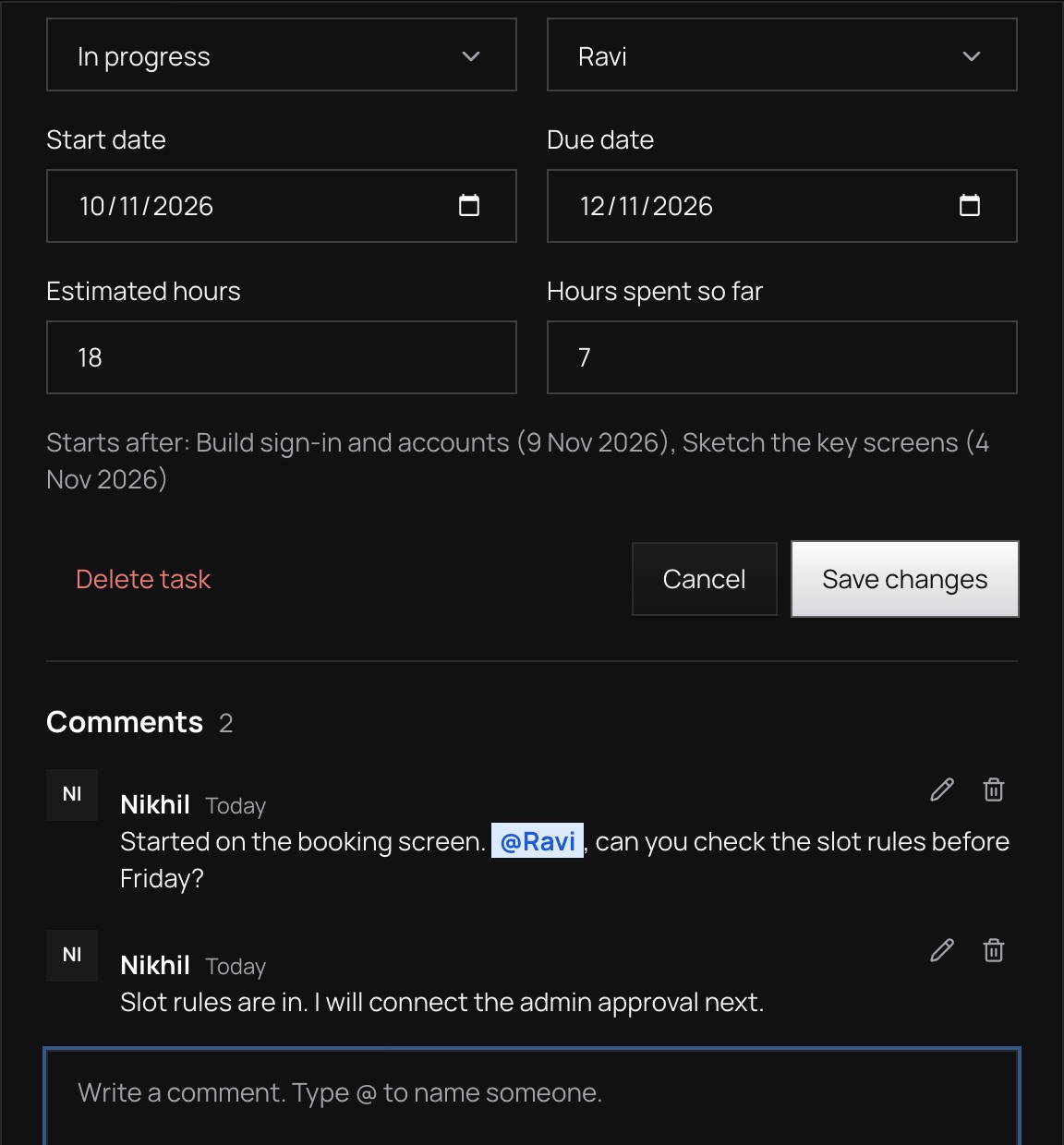
Invite teammates with the access they need. Comments, a vault for documents, and a canvas for sketching are in the same place.
What is inside
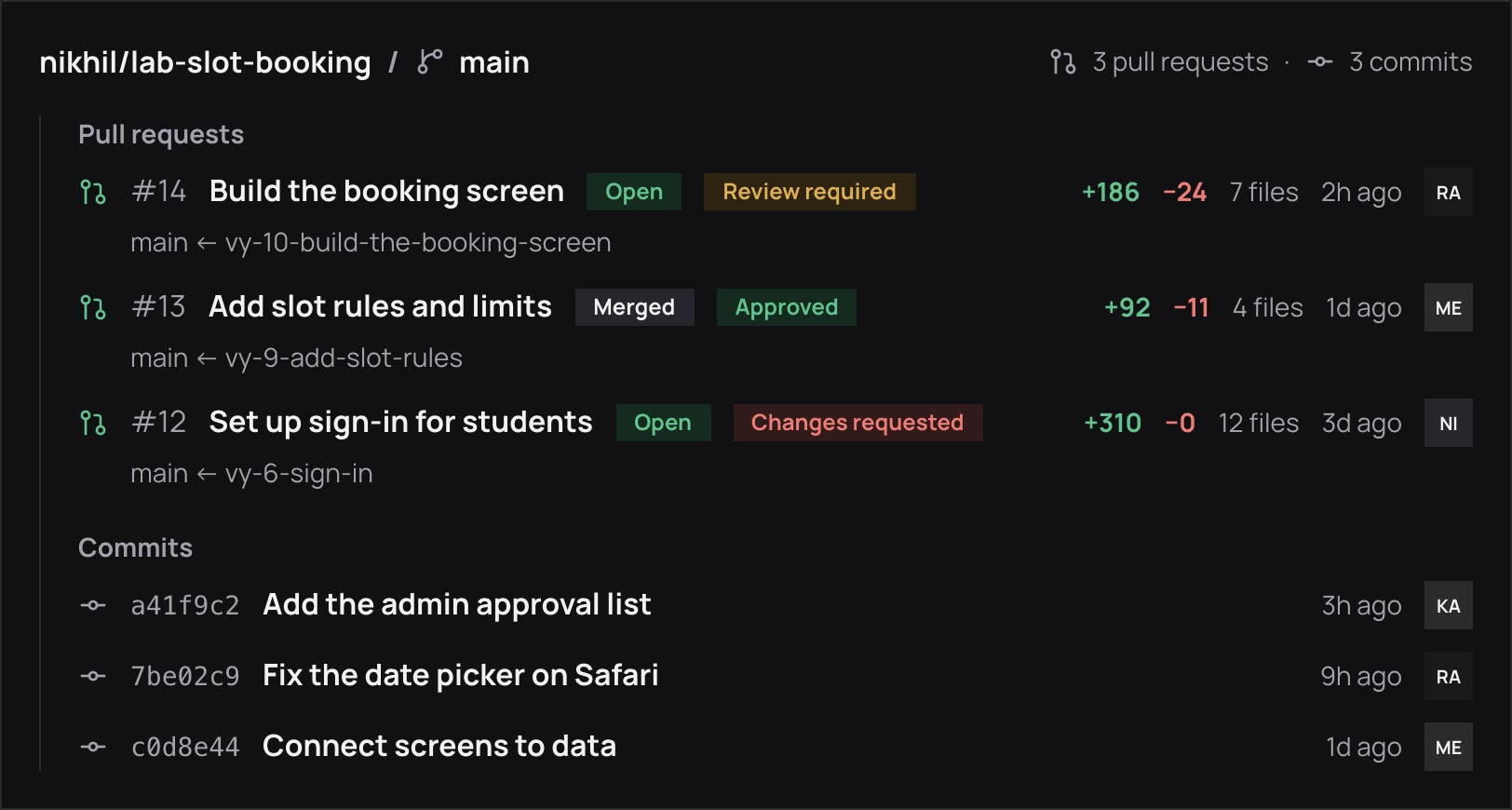
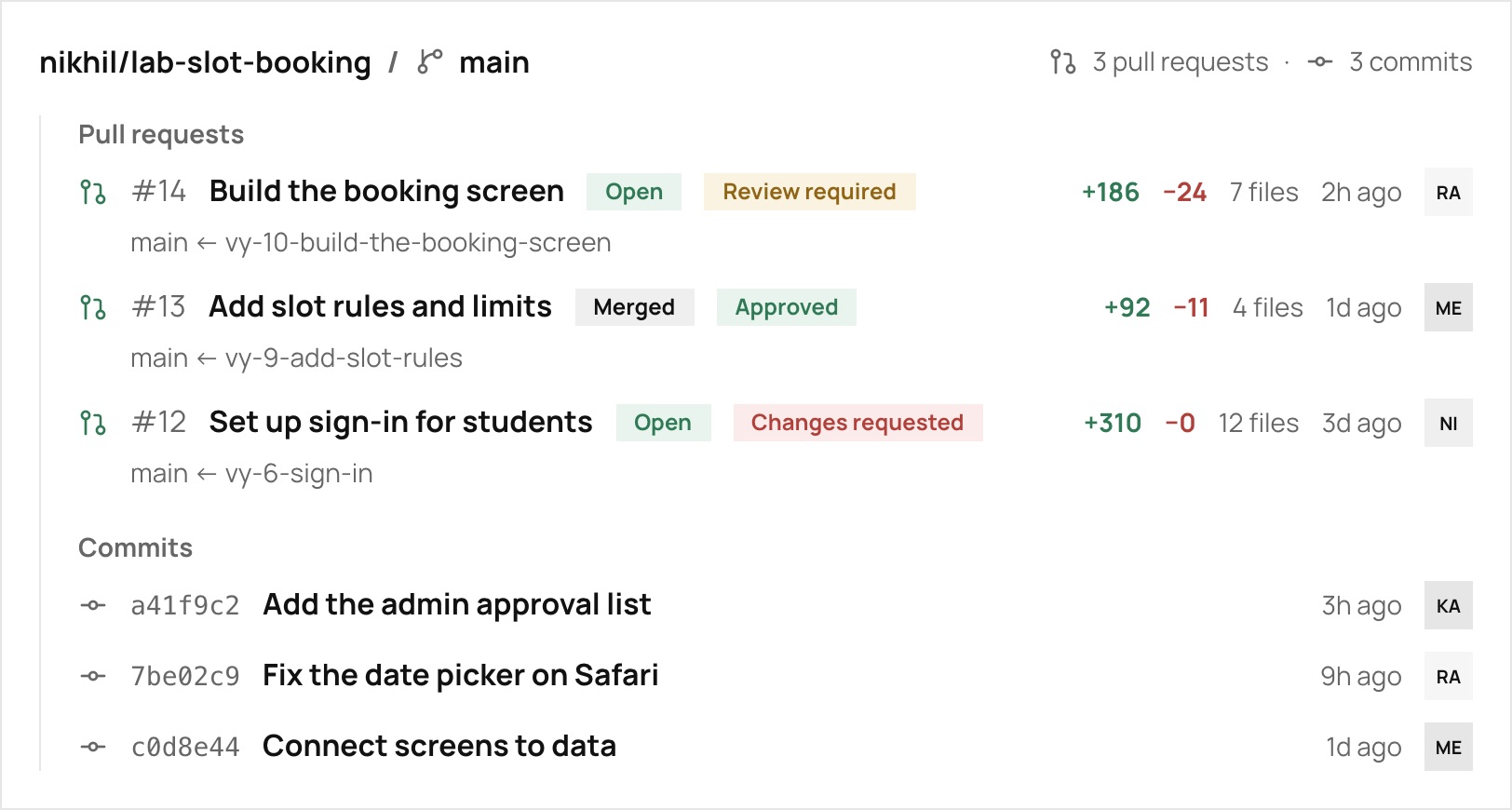
Link a repository with the read-only Vyam GitHub App. See each pull request’s state and review, and the latest commits.
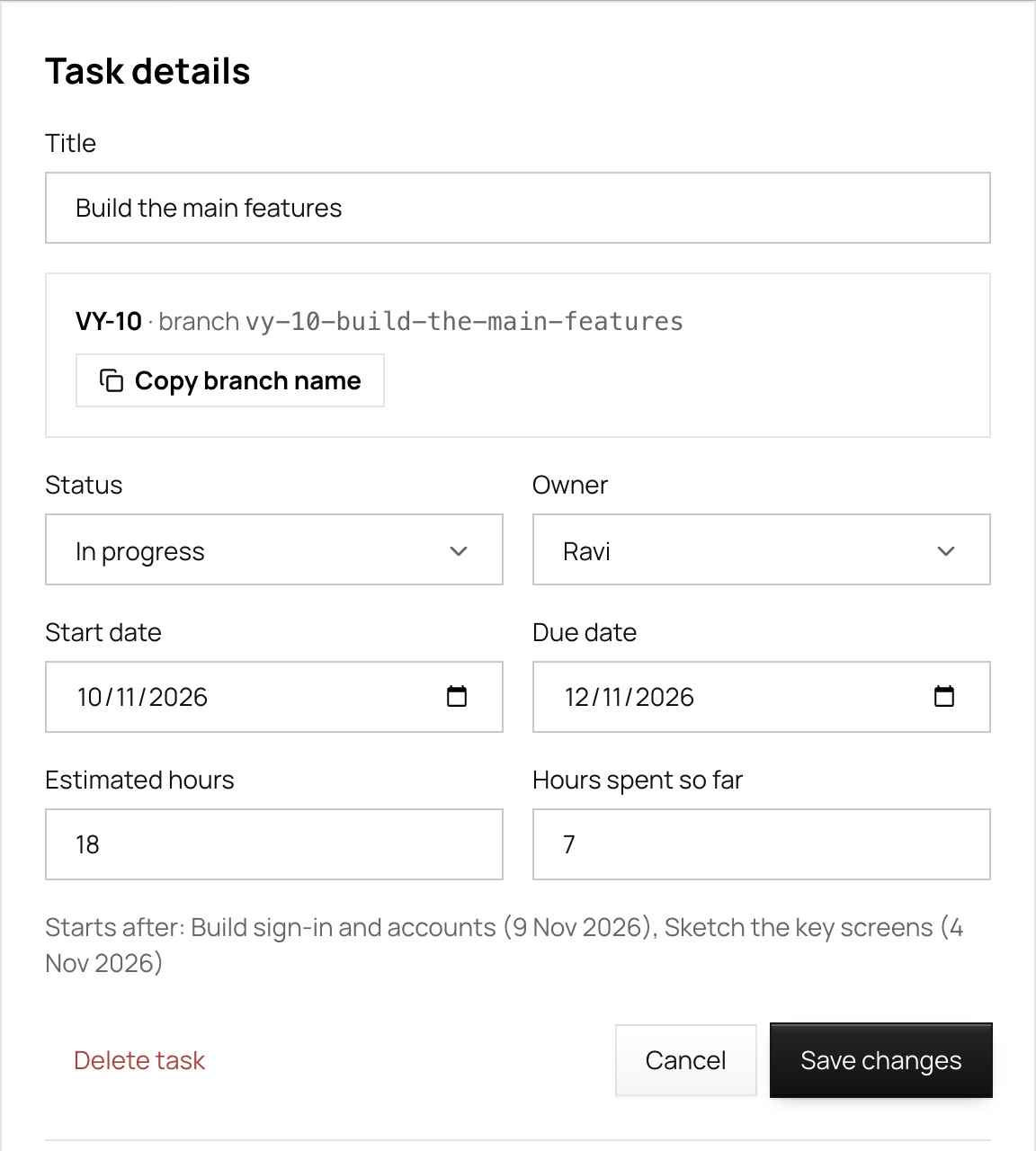
Use a task’s key, like VY-10, in a branch or pull request to attach the work.
Add Vyam to a Slack channel and the team hears what matters.
Give your agent a token for one project. It reads the plan and proposes changes; only you apply them.
What your agent can do
Your view
Choose Beginner, Intermediate or Expert when you start. It only decides how many pages you see, and you can change it any time.
The essentials: a plan, a schedule, your team and your files.
Overview, Timeline, Teammates, Graph, Costs, Vault, Connections
Adds sprints, reviews, reports, a canvas and the Gantt chart.
Everything in Beginner, plus Sprints, Review, Reports, Canvas
Everything, with traceability, estimates and a working method for each project.
Everything, plus Traceability, Estimates, and Scrum, Kanban or Waterfall
Switch in Settings whenever you like. Pages you do not see are only hidden, and everything in them is still there.
Short answers to what people ask first.
Describe an idea, get a plan you can edit, and follow it through to launch with your team.